

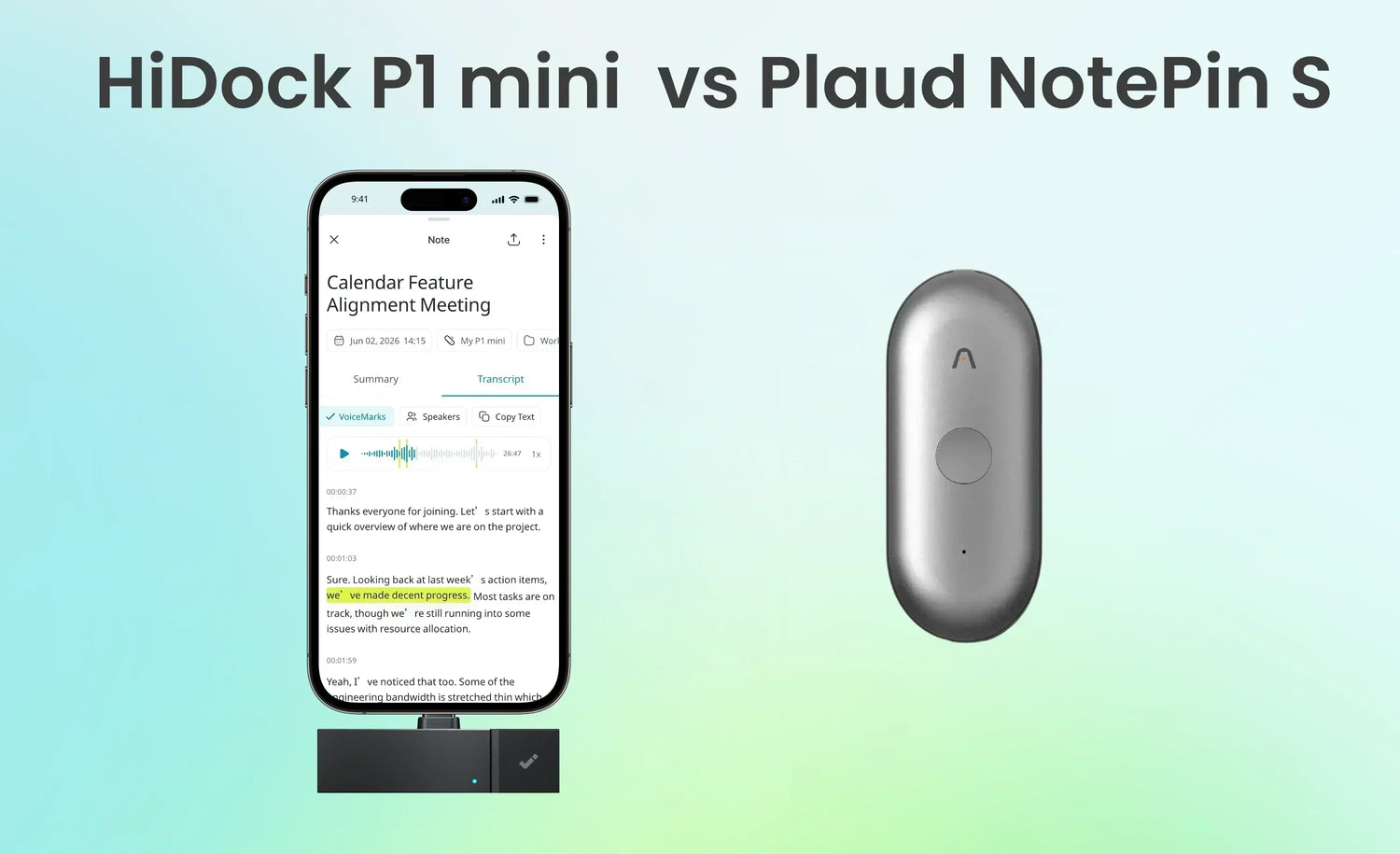
The Plaud NotePin S and HiDock P1 mini are both compact AI recorders, but they are designed around different workflows
Neither design is better for every user. The practical choice depends on where your conversations happen: in a room, on a smartphone, or on a computer.
Quick Comparison
| Category | HiDock P1 mini | Plaud NotePin S |
| MSRP | $119 | $179 |
| Primary use case | Calls and online meetings on a phone, tablet, or laptop, plus in-person recording | Hands-free recording of in-person conversations |
| Form factor | USB-C attachment for phone, tablet, or laptop | Wearable recorder |
| Weight | 0.42 oz / 12 g | 0.61 oz / 17.4 g, without magnetic pin |
| Dimensions | 2.4 × 1 × 0.3 in / 61 × 25 × 8 mm | 2.01 × 0.83 × 0.43 in / 51 × 21 × 11 mm |
| Local storage | 32GB | 64GB |
| Power | Draws power from connected device | 320mAh internal battery |
| Continuous recording | N/A, powered by host device | Up to 20 hours |
| Microphone | 1 × Ø4mm ECM microphone | 2 × MEMS microphones |
| Dedicated phone-call recording | Yes | No |
| Bluetooth-earphone call capture | Yes, via BlueCatch™️ | No |
| Mobile Zoom, Teams, Meet, and similar apps | Yes | No |
| Computer-based online meetings | Yes, no software installation; Chrome or Edge for sync | Supported through the separate Plaud Desktop app |
| In-person recording | Yes, using Room Mode | Yes, the main hardware use case |
| Device requirement | iPhone 15 or later, USB-C Android devices, or Mac/Windows laptops with Chrome or Edge | No physical phone connection is needed to record |
| Transcription | Unlimited transcription in 75+ languages | 300 minutes per month in 112 languages |
| Paid-plan role | Optional advanced AI features | More transcription minutes and advanced Plaud Intelligence functions |
| Desktop software required | No, browser-based | Yes, Plaud Desktop install |
| Apple Find My | No | Yes |
| Included accessories | Quick Start Guide and silicone pads | Magnetic pin, clip, lanyard, wristband, charging dock, and USB-C cable |
Design and Portability
HiDock P1 mini: A USB-C Accessory for Phones and Tablets
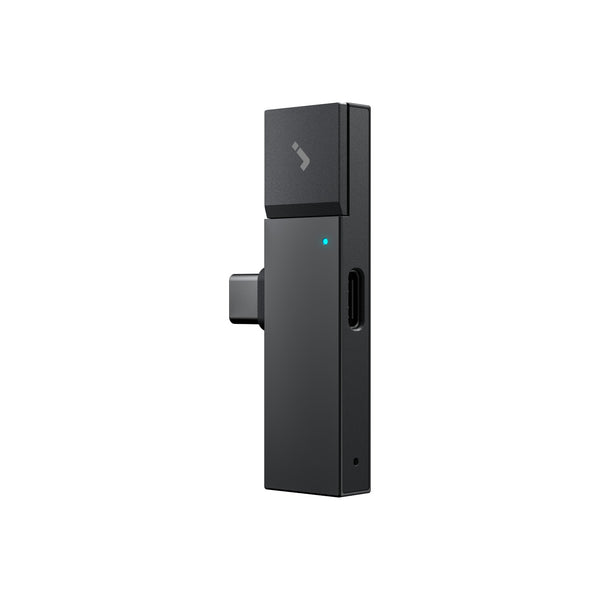
The P1 mini measures 1 × 2.4 × 0.3 inches (61 × 25 × 8 mm), weighs 0.42 ounces (12 grams), and plugs into a supported phone, tablet, or laptop through USB-C. It has no internal battery, so it draws power from the connected device during use.
The P1 mini is compatible with the iPhone 15 series and later, as well as USB-C accessories for phones, tablets, and laptops. Android support depends on the device's USB-C and OTG capabilities, so buyers should confirm compatibility for their particular model. Lightning-based iPhones, including the iPhone 14 series and earlier, are not directly compatible—but owners of those phones can still use the P1 mini with a Mac or Windows laptop.
On a laptop, the P1 mini plugs into the USB-C port and works through Chrome or Edge at HiNotes — there is no application to install, and the workflow is the same on macOS and Windows. Recording runs on the device itself, so the browser does not need to be open during a meeting; it is used afterwards to upload, transcribe, and summarize. Safari is not supported for that upload step.
Plaud NotePin S: A Wearable, Battery-Powered Recorder
The NotePin S measures 2.01 × 0.83 × 0.43 inches (51 × 21 × 11 mm) and weighs 0.61 ounces (17.4 grams) without the magnetic pin. It can be worn with the included magnetic pin, clip, lanyard, or wristband.
Its 320mAh battery is rated for up to 20 hours of continuous recording and up to 40 days of standby. The device has 64GB of local storage and can record without drawing power from a phone.
Because the NotePin S does not plug into a phone to record, the phone's connector type is not a recording constraint. Users still need a supported Plaud app or web workflow to transfer, organize, transcribe, and summarize recordings. App availability, operating-system requirements, and regional availability should be checked before purchase.
The NotePin S has a tactile recording button. Pressing it during a recording creates a highlight that Plaud Intelligence can use as an additional cue when generating notes. Apple Find My is also supported.
Design takeaway: The P1 mini is intended to be attached to whichever device the conversation is happening on — phone, tablet, or laptop. The NotePin S is intended to be worn and can record independently of any host device's battery.
Recording Capabilities
Recording workflow is the most important difference in the Plaud NotePin S vs HiDock P1 mini comparison.
What the HiDock P1 mini Records
The P1 mini offers two user-selected modes, but BlueCatch™️ is the feature that most clearly distinguishes it from a conventional ambient recorder.
Why BlueCatch™️ Matters
Many small recorders can capture a call only when the phone is placed on speaker, which makes the conversation audible to people nearby and leaves recording quality dependent on the phone speaker and room conditions. BlueCatch™️ is designed for a different workflow: the user pairs compatible Bluetooth earphones with the P1 mini through HiNotes, continues hearing the call privately through those earphones, and records both sides without switching the phone to speaker mode.

This is more than Bluetooth playback support. In Call Mode, the P1 mini brings the incoming call audio and the user's voice into one recording: the remote side is captured through the Bluetooth-earphone audio path, while the built-in ECM microphone captures the user's side. That combination is the product's defining capability and the main reason to consider it over an ambient wearable recorder when calls are the priority.
Room Mode uses the built-in high-sensitivity Ø4 ECM microphone for classes, lectures, meetings, interviews, and other in-person conversations. Room Mode does not depend on an automatic change triggered by disconnecting earphones; it is a recording mode selected for the situation.

The P1 mini therefore covers call recording and in-person capture on phones, tablets, and laptops, but it must remain connected to a compatible USB-C device throughout.
What the Plaud NotePin S Records
The NotePin S is designed primarily for in-person speech while worn or placed near the speakers. Its two MEMS microphones have a manufacturer-stated effective range of up to 9.84 feet (3 meters). Actual results will depend on room acoustics, speaker volume, device placement, and background noise.
The NotePin S does not provide dedicated phone-call recording. Plaud's support documentation states that it lacks the Vibration Conduction Sensor used by compatible Plaud models to capture call audio. Plaud's documented workaround is to put the phone on speaker and let the NotePin S record the conversation through its microphones. That is ambient recording, not internal call capture, and quality will depend on the environment
For meetings on a Windows PC or Mac, Plaud offers Plaud Desktop. This is separate software that records computer audio and sends the recording to the user's Plaud account for transcription and summarization. A Plaud device must be bound to the account, but the NotePin S wearable itself is not capturing the computer's internal meeting audio.
Recording takeaway: Choose the P1 mini when the ability to keep using compatible Bluetooth earphones while recording both sides of supported mobile calls and meetings is central to the workflow. BlueCatch™️ is the key advantage, with Room Mode adding in-person capture. Choose the NotePin S when independent, hands-free in-person recording is the priority. For computer meetings, the P1 mini runs in the browser with nothing to install, while Plaud requires its separate Plaud Desktop application.
Mobile Meetings vs Desktop Meetings
Meetings on Any Device — With or Without Software
On a phone or tablet, the P1 mini records Zoom, Teams, Google Meet, and other platforms — either through Room Mode using the built-in microphone, or through BlueCatch™️ in Call Mode, which keeps the conversation in Bluetooth earphones rather than on speakerphone.
On a Mac or Windows laptop, the same device plugs into USB-C and works through Chrome or Edge at HiNotes . There is no application to install and no IT approval to request — a practical advantage on managed work laptops, where installing recording software is often restricted or discouraged.
Recording runs on the device itself, so the browser does not need to stay open during the meeting. Audio is stored on the P1 mini first, and the browser is used afterwards to upload, transcribe, and summarize. A closed tab or a dropped connection mid-meeting does not cost you the recording. Chrome or Edge is required for that upload step; Safari is not supported.
The NotePin S has no dedicated mobile call capture mode. For computer meetings, Plaud Desktop is the relevant workflow — it is separate software that must be installed on each machine, and it is not dependent on the NotePin S hardware itself.
AI Transcription and Notes
Both ecosystems turn recordings into transcripts and AI-generated notes, but their allowances and paid features are structured differently.
HiDock P1 mini and HiNotes
Recordings from the P1 mini are managed in HiNotes. HiDock users receive unlimited transcription and summaries in 75+ languages without a recurring transcription quota.
HiNotes Pro membership is an optional paid upgrade that adds speaker identification, 39+ summary templates, export to Word, PDF, and Markdown, integrations with Notion, Google Docs, and OneNote, and Live transcription. Core transcription and summaries are free with the device, with no monthly cap.
Plaud NotePin S and Plaud Intelligence
Plaud Intelligence transcribes in 112 languages and supports speaker labels, summaries, highlights, custom vocabulary, multimodal context, and a wider template ecosystem.
The free Starter plan includes 300 transcription minutes per month. Plaud currently lists the Pro plan at $99.99 per year, or $8.33 per month when billed annually, with 1,200 transcription minutes per month. Its annual Unlimited plan is listed at $239.99 per year, or $19.99 per month when billed annually, with a stated limit of 24 transcription hours per user per day.
Plaud's public pages group some capabilities differently across product and plan descriptions. For that reason, it is safer to say that the Starter plan provides the included monthly transcription allowance and access to core Plaud Intelligence functions, while paid plans add more minutes and certain advanced capabilities. Users who need Ask Plaud, custom templates, a particular integration, or another specific feature should confirm its current tier before subscribing.
The equivalent distinction is:
- Transcription allowance: 300 minutes per month on Starter; 1,200 minutes per month on annual Pro; an advertised unlimited allowance, subject to a 24-hour daily limit, on annual Unlimited.
- Advanced functions: Availability depends on the current Plaud membership tier and software version.
Pricing and Ongoing Cost
For very light use, Plaud's 300-minute Starter allowance may be enough. But for people who record meetings or calls every week, that allowance can run out quickly: five one-hour conversations can exhaust the month.
The cost difference becomes clearer when compared over a full year of regular use. A professional recording six hours of meetings per week generates around 26 hours of audio per month. On the Plaud Starter plan, that exhausts the free 300-minute allowance within the first week, and it also overruns the Pro plan's 1,200-minute monthly cap — so the Unlimited plan at $239.99 per year applies, bringing the first-year total to $418.99 ($179 hardware + $239.99). Even at a lighter five hours per week, which lands at exactly 1,200 minutes a month, Pro leaves no headroom at all, and the first-year total is still $278.99.
The HiDock P1 mini at $119 includes unlimited transcription with no monthly cap. A user recording the same five hours per week pays $119 in year one and nothing additional for transcription in year two or beyond — unless they choose to add HiNotes Pro features such as speaker identification or advanced integrations, which are optional.
For light users who record fewer than five hours per month, Plaud's free Starter plan is sufficient and the total cost remains $179 for the hardware alone — still $60 more than the P1 mini. Plaud's free allowance runs out at roughly one to two hours of recording per week; past that point, a $99.99 or $239.99 annual plan applies. The P1 mini costs less upfront at every usage level and adds no transcription fee at any volume.
Privacy and Security
Both products handle sensitive audio, so privacy and security should be part of the buying decision.
HiDock emphasizes a local-storage-first workflow: recordings are stored on the P1 mini, and HiNotes cloud services are described as Microsoft Azure-backed with GDPR-related safeguards. For users who care about keeping recordings on their own device before syncing or processing them, that is a meaningful privacy advantage.
This applies on laptops as well: because recording runs on the device rather than in the browser, audio is captured and held locally first, and the user decides when to connect and upload it for processing.
Plaud emphasizes platform-level compliance. The company lists certifications and compliance standards including ISO 27001, ISO 27701, GDPR, SOC 2, HIPAA, and EN 18031, which may be useful for teams with formal vendor-review requirements.
Who Should Consider the HiDock P1 mini?
The P1 mini may fit your workflow if:
- You often join calls or online meetings on a phone, tablet, or laptop.
- You want to continue listening through Bluetooth earphones while BlueCatch™️ records both sides of supported mobile calls and meetings.
- You prefer that workflow to putting calls on speakerphone or adding a meeting bot.
- Your device has a supported USB-C connection, including iPhone 15 or later or an Android device with the necessary USB-C/OTG support.
- You want Room Mode for occasional in-person meetings as well as mobile Call Mode.
- Unlimited included transcription is more important than wearable operation.
- You take meetings on a work laptop where installing recording software is restricted or discouraged
- You move between phone and laptop and want one device that covers both.

Who Should Consider the Plaud NotePin S?
The NotePin S may fit your workflow if:
- Most important conversations happen in person.
- You prefer a wearable device for hands-free recording.
- You need a recorder that operates without drawing power from a phone.
- The stated 20-hour continuous runtime and 64GB of storage suit your work pattern.
- You need transcription support for languages outside HiDock's advertised range.
- Apple Find My or the included wearing accessories are useful to you.
It is less suitable if dedicated mobile phone-call recording is the primary requirement. The speakerphone workaround does not provide the same workflow as internal call capture.
Frequently Asked Questions
Can the Plaud NotePin S record phone calls?
Not as a dedicated call-recording feature. Plaud states that the NotePin S does not include a Vibration Conduction Sensor, so it cannot capture call audio in the way supported Plaud phone-call models do. Plaud's documented workaround is to use speakerphone and record both sides through the NotePin S microphones.
Can the HiDock P1 mini record phone calls?
Yes, for supported mobile setups. In Call Mode, BlueCatch™️ lets the user listen through compatible Bluetooth earphones while the P1 mini captures the remote side through the earphone audio path and the user's side through its ECM microphone. This avoids the need to put the call on speakerphone.
What is BlueCatch on the HiDock P1 mini?
BlueCatch™️ is HiDock's Bluetooth-earphone recording technology and the P1 mini's defining feature. Bluetooth earphones are paired with the P1 mini through HiNotes. During a supported mobile call or meeting, the user continues listening through the earphones while the P1 mini combines the remote audio and the user's microphone audio into one recording. It is designed to provide private earphone listening and two-sided recording without using speakerphone.
Can the P1 mini record Zoom and Microsoft Teams without desktop software?
Yes, on both phones and laptops. On a compatible phone or tablet, the supported Call Mode workflow applies. On a Mac or Windows laptop, the P1 mini plugs into USB-C and runs through Chrome or Edge at HiNotes, with no application to install.
Can the Plaud NotePin S record Zoom and Microsoft Teams meetings?
For meetings running on Windows or macOS, Plaud offers the separate Plaud Desktop application. The software captures computer audio and syncs the recording to the Plaud account; the NotePin S hardware is not itself capturing the laptop's internal audio. On a phone, the NotePin S has no dedicated internal-audio recording mode.
Does the Plaud NotePin S work with any phone?
It does not need a physical phone connection to record, so it is not limited by Lightning versus USB-C. However, “any phone” is too broad: users should confirm current Plaud app support, operating-system requirements, and regional availability for their device.
Does the HiDock P1 mini work with older iPhones?
Not directly. It requires USB-C and is listed for the iPhone 15 series and later. Owners of Lightning iPhones can still use the P1 mini with a Mac or Windows laptop.
Is transcription free on both devices?
Both include transcription, but the allowances differ. HiDock users receive unlimited transcription in 75+ languages at no additional cost. Plaud's Starter plan includes 300 minutes per month in 112 languages. Advanced features and integrations may require a paid tier in either ecosystem.
Which device is better for in-person meetings?
Both can record in-person conversations. The NotePin S is purpose-built as a wearable with its own battery and a stated recording range. The P1 mini uses Room Mode but must remain connected to a compatible phone or tablet. The better fit depends on whether wearable independence or a combined mobile call-and-room workflow matters more.
How do I use the HiDock P1 mini with a laptop?
Plug it into the laptop's USB-C port and open HiNotes in Chrome or Edge. There is no application to install, and the workflow is the same on macOS and Windows. Laptop support requires firmware 2.3.1 or later.
Do I need to keep the browser open while recording on a laptop?
No. Recording runs on the P1 mini itself, so the browser does not need to be open during a meeting. Audio is stored on the device first; Chrome or Edge is used afterwards to upload, transcribe, and summarize.
Does the HiDock P1 mini work with Safari?
Recording does not depend on a browser at all. The upload, transcription, and summary step at HiNotes requires Chrome or Edge; Safari is not supported for that step.
Which firmware version adds laptop support, and how do I update?
Firmware 2.3.1 or later. Updates are delivered through the HiNotes mobile app — connect the P1 mini to a phone and update from within the app.
The Bottom Line
The Plaud NotePin S and HiDock P1 mini solve different recording problems.
The Plaud NotePin S is the more purpose-built option for independent, wearable, in-person recording. It has a 320mAh battery, 64GB of storage, up to 20 hours of continuous recording, four included wearing accessories, and Apple Find My. It does not provide dedicated phone-call recording. Computer meetings are handled through Plaud Desktop, which is separate software.
The HiDock P1 mini is built around BlueCatch™️. On supported mobile, tablet, and laptop setups, it allows users to keep listening through compatible Bluetooth earphones while recording both sides of a call or online meeting, without switching to speakerphone. That is its main differentiator—not simply its small size or USB-C connection. It also provides Room Mode for in-person recording and includes unlimited transcription. Its constraints are the required USB-C connection to a host device, device compatibility, and the need for Chrome or Edge when uploading laptop recordings.
If your work centers on face-to-face conversations and hands-free capture, the NotePin S is likely the closer match. If it centers on calls and meetings across phone and laptop—and keeping those conversations private in Bluetooth earphones matters—the P1 mini's BlueCatch™ workflow is likely the closer match. The most useful comparison is not which product wins overall, but which recording path matches the conversations you need to preserve.
For a broader comparison within the same category, read HiDock P1 vs Plaud Note Pro