


HiDock P1 mini
Record both sides of your calls — with your earbuds in.
Black Friday price · No code needed

Klarnaor 4 interest-free payments of $14.75


*Computer recording needs P1 mini firmware 2.3.1 or later. Update in the HiNotes app.
What owners say about P1 mini
“It is compact, easy to carry, and simple to set up… Being able to use the same headphones I already carry in my pocket is a particularly nice bonus.”
“I love the unobtrusive nature of the HiDock P1 mini. Clicks into the base of the iPhone, fire it up, sync notes post-meeting (or phone call), and it works like a champ.”
“This allows me to be more present in my meetings while giving me the flexibility to do it through hardware on the go.”
How it works
Plug in. Talk.
Get the notes.
Tiny by design
12 g. Goes wherever
your phone goes.
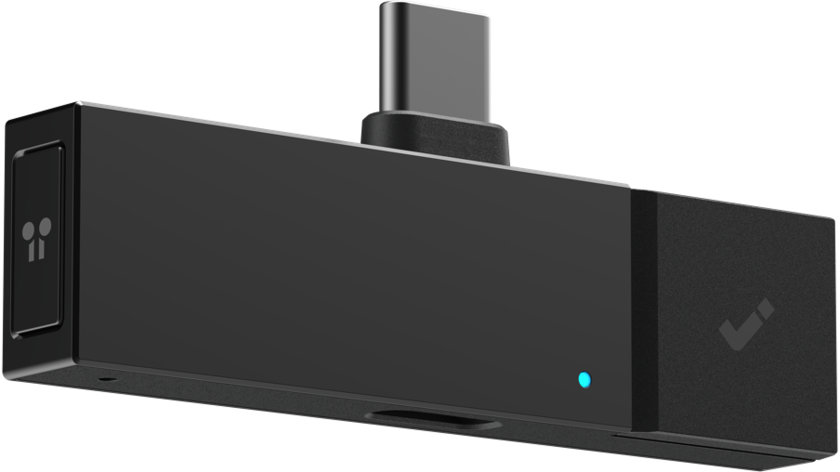
P1 mini clicks into the bottom of your phone and stays out of the way. It is the recorder you actually have with you.
Pocket-size
25 × 61 × 8 mm. It lives in a pocket or on your phone, so it is with you when the call comes in.
Nothing to charge
No battery is what makes it this small. It runs on your phone or laptop and records while plugged in.
Out of the way on the table
In Room Mode it lies flat next to your phone and doesn’t take over the meeting.
Why P1 mini
Your earbuds shouldn’t stop
you from recording.
Take your earbuds out
Just to get the call on record.
Switch to speakerphone
And let everyone nearby hear it.
Invite a bot to the meeting
It shows up in the participant list.
Record on a second phone
One more device to set up and sync.
With P1 mini: plug in, keep your earbuds in, and talk as usual.
Where it fits
One tiny recorder.
Calls, meetings and the room.

Phone and app calls
Phone and WhatsApp calls with your earbuds in. P1 mini records both sides.

Online meetings
Zoom, Teams and Google Meet on your laptop. Nothing joins the call.

In person
Room Mode picks up everyone at the table.
Choose your personal AI recorder
P1 mini or P1?
Both record calls through your earbuds. The difference is whether you want a recorder that works on its own.
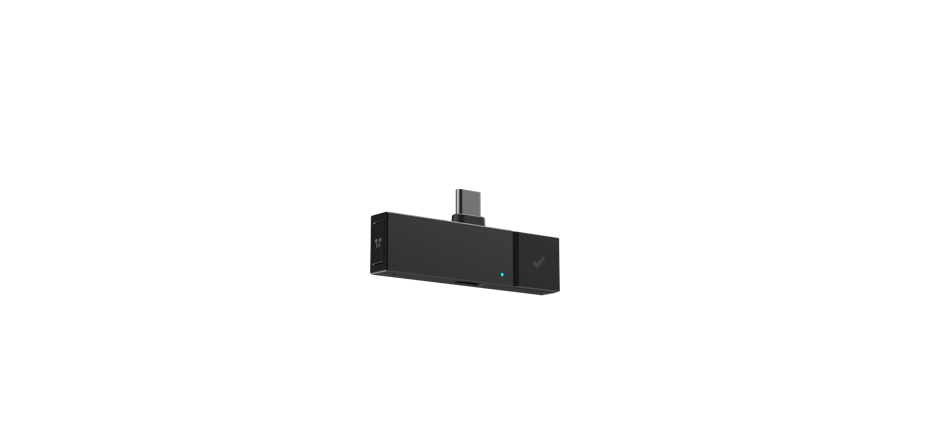
- You mostly record calls and meetings on your phone or laptop
- You want something that lives in your pocket
- You never want to charge another device
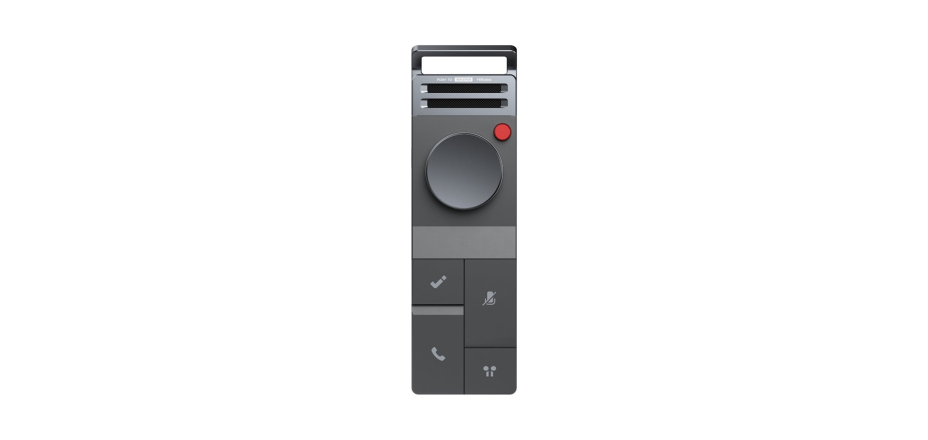
- You record meetings and classes without plugging into anything
- You need Whisper Mode for quiet voices
- You want a built-in battery
Product images shown at the same scale.
Check before you buy
Make sure P1 mini fits your phone and computer.
Works with
- USB-C iPhone 15 and later
- USB-C Android phones and tablets (OTG)
- Mac and Windows computers with USB-C (P1 mini firmware 2.3.1 or later)
- Phone cases up to 2.5 mm thick
Doesn’t work with
- iPhone 14 and earlier (Lightning port), even with an adapter
Good to know
- No battery: it records while plugged in
- No case or a thin case? A pad keeps it steady
- No software to install: HiNotes web runs in Chrome or Edge
HiNotes app · Included
From conversation to next steps.
Every P1 mini comes with HiNotes Member: unlimited core transcription and summaries in 75 languages. Upgrade only if you want more.

Find the detail
- Transcripts in 75 languages, with timestamps
- Search every conversation
- Press P1 mini to VoiceMark a moment
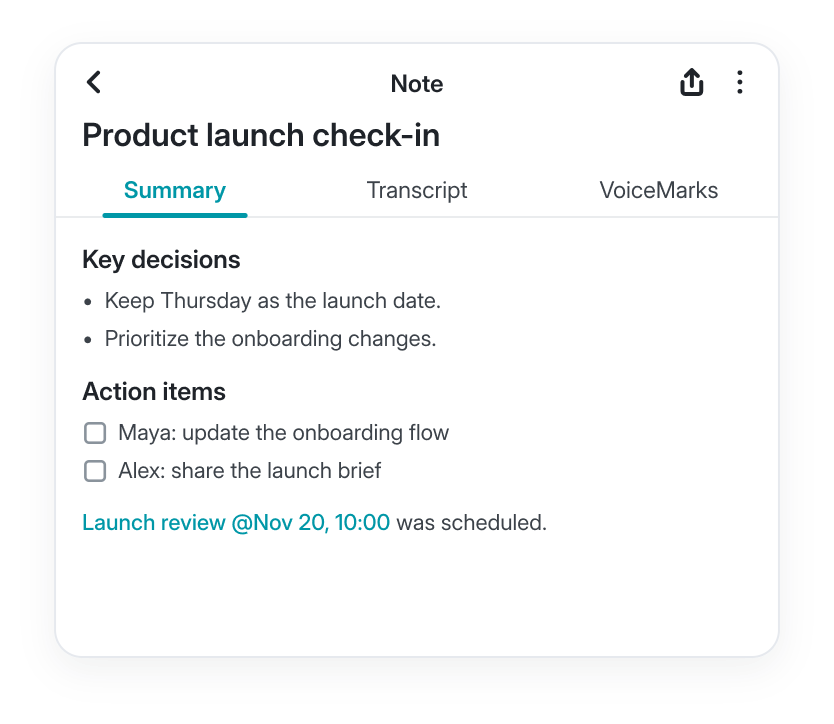
Leave with next steps
- Summaries with decisions and action items
- 8 summary templates included, 39+ with Pro
- Folders and tags keep calls together
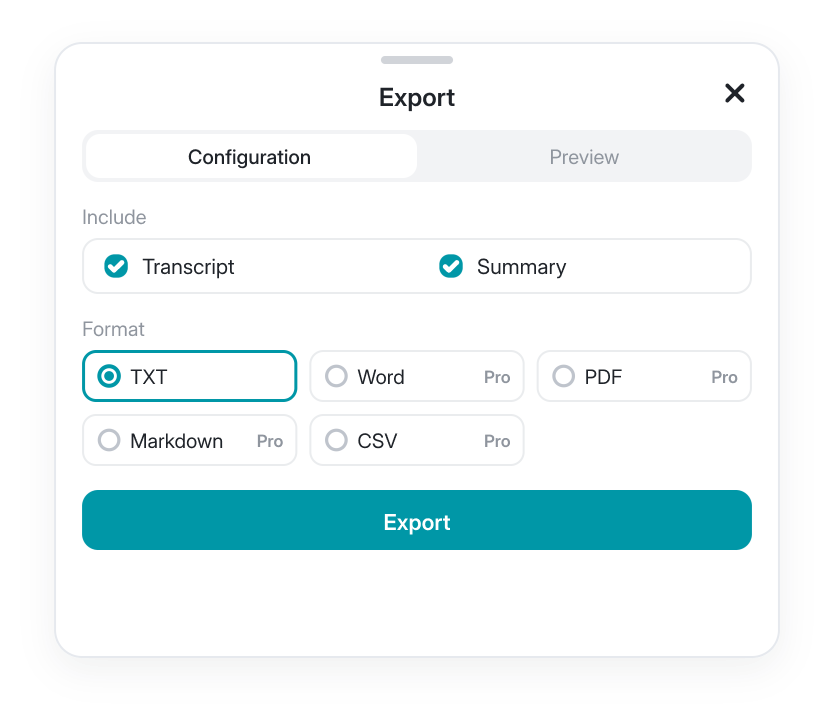
Take it where you work
- Google Calendar and Outlook, included
- Notion, Google Docs, OneNote and Word or PDF export with Pro
- Connect Claude, ChatGPT and other MCP apps with Unlimited
What’s included, and what’s optional
*Member includes 300 Pro minutes every month. Claim them in HiNotes → Profile → Plans.
Free HiNotes app for iPhone and Android, plus HiNotes web in Chrome and Edge. HiNotes runs on Microsoft Azure in the US.
Tech specs
Specs
- Size
- 25.4 × 60.6 × 7.8 mm
- Weight
- 12 g (0.42 oz)
- Recording capacity
- Up to about 1,000 hours
- Microphone
- Ø4 mm ECM
- Connector
- USB-C
- Recording modes
- Call Mode, Room Mode
- Battery
- None — powered by your phone or laptop
- Pass-through charging
- USB-C PD: charge your phone while it records
- Works with
- USB-C iPhone 15 and later, Android (OTG), Mac and Windows (P1 mini firmware 2.3.1+)
What’s in the box

- HiDock P1 mini
- 3 silicone pads in 3 sizes, for a snug fit
- Quick start guide
This product is rated 4.1 of 5.0 stars.
It has received 44 reviews.
FAQ
Questions before you buy
Can I keep my earbuds in while I record a call?
Yes. Pair your Bluetooth earbuds with P1 mini once in the HiNotes app. After that, take calls through your earbuds as usual and P1 mini records both sides. Next time, it reconnects to your earbuds automatically. If it doesn’t, press the BlueCatch button on the side of P1 mini once.
Which phones and computers does it work with?
USB-C iPhones (iPhone 15 and later), USB-C Android phones and tablets that support OTG, and Mac or Windows computers with a USB-C port. Recording on a computer needs P1 mini firmware 2.3.1 or later; update it in the HiNotes app. There’s no software to install: open HiNotes web in Chrome or Edge. iPhones with a Lightning port (iPhone 14 and earlier) are not supported, even with an adapter.
Does it need charging?
No. P1 mini has no battery. It runs on power from the phone or computer it’s plugged into, so it records only while connected. It passes USB-C PD power through, so you can charge your phone while P1 mini is plugged in. Connect the charger before you start recording.
Will it fit with my phone case?
Yes, if your case is 2.5 mm thick or less around the charging port. With no case or a thin one, there can be a small gap between P1 mini and your phone. P1 mini comes with silicone pads in 3 sizes: add the one that fills the gap and it sits firmly without wobbling. Thicker rugged cases need to come off.
Is transcription included?
Yes. Every HiDock comes with HiNotes Member: free core transcription and AI summaries for life, in 75+ languages. Member also includes 300 Pro minutes every month. Claim them in HiNotes under Profile → Plans. Pro and Unlimited are optional paid upgrades for speaker identification, 39+ summary templates and more.
Do I need to tell the other person I’m recording?
Yes. Recording laws differ by country and by US state, and some require everyone’s consent. P1 mini removes the speakerphone and the meeting bot, not the need to ask. Let people know before you record.
Which call and meeting apps does it work with?
Phone calls, FaceTime, WhatsApp, Zoom, Microsoft Teams, Google Meet and Slack huddles, on your phone or your computer. Nothing joins the meeting as a participant.
How much can it record?
Up to 1,000 hours of recordings fit on the device. Each recording can run up to 4 hours; for longer sessions, start a new one. Transfer recordings to HiNotes to transcribe.
Where are my recordings stored?
On P1 mini until you transfer them. Nothing uploads automatically. To transcribe, recordings are uploaded to HiNotes, which runs on Microsoft Azure and is GDPR compliant.
Which browsers does HiNotes web support?
Chrome and Edge. Safari isn’t supported. On your phone, use the HiNotes app.
What about shipping, returns and warranty?
Free shipping on P1 mini, 30-day returns and an 18-month warranty.
Still have questions? Email support@hidock.com
Black Friday
Earbuds in.
Every call recorded.
Notes ready.
HiDock P1 mini
Free US shipping · 18-month warranty · 30-day returns
