





Disclosure: We are the team behind HiDock. However, we believe that every tool has its perfect user. In this comparison, we aim to provide an honest, objective evaluation of both HiDock and Otter.ai, acknowledging where each product shines and where they fall short. Our goal is to help you choose the right tool for your specific workflow.
The AI notetaking market has exploded over the past few years. If you attend virtual meetings regularly, you have undoubtedly seen AI bots quietly joining calls, taking notes, and summarizing action items. For a long time, software-only solutions like Otter.ai have dominated this space.
But as the novelty of AI transcription wears off, professionals are running into the practical limitations of software-only bots. What happens when your meeting is in a noisy coffee shop instead of on Zoom? How do you record a traditional phone call? And what about the growing privacy concerns of inviting third-party bots into confidential discussions?
This is where the debate between pure software (Otter.ai) and hardware-software hybrids (HiDock) begins.
In our evaluation of these two platforms, we found that the choice comes down to a fundamental difference in philosophy: Capture Fidelity vs. Software Automation. Otter.ai excels at automating workflows for remote teams, while the HiDock P1 prioritizes high-fidelity audio capture, privacy, and versatility across both physical and digital spaces.
In this comprehensive guide, we will break down both tools across ten key categories to help you decide which AI notetaker deserves a spot in your daily routine.
Table of Contents
1. Quick Comparison: HiDock vs Otter.ai
2. Product Approach: Hardware vs. Software
3. Recording & Audio Quality
4. Transcription Accuracy & AI Features
5. Language Support
6. Meeting Integration & Automation
7. Third-Party Integrations & Workflow
8. Privacy & Data Handling
9. Pricing & Value
10. Use Cases: Which is Better for You?
11. Who Should Buy Which?
12. Frequently Asked Questions (FAQ)
1. Quick Comparison: HiDock vs Otter.ai
If you are short on time, here is a high-level overview of how the two platforms compare across key features.

2. Product Approach: Hardware vs. Software
To understand the differences between HiDock and Otter.ai, you must first understand their fundamentally different approaches to the problem of meeting transcription.
Otter.ai: The Pure Software Approach
Otter.ai operates on the assumption that your conversations are already happening in a digital space. Its primary mechanism is OtterPilot, an AI bot that connects to your Google or Microsoft calendar. When it sees a Zoom, Teams, or Google Meet link, it automatically joins the call as a participant. It listens to the digital audio stream, transcribes it, and sends you an email with the summary afterwards.

This approach is highly automated. You do not have to remember to hit "record"—Otter does the heavy lifting for you. However, because it is purely software, it is entirely dependent on the quality of the microphone you (and others) are using.
HiDock: The Hardware-Software Hybrid
HiDock takes a different path. We believe that AI is only as good as the data it receives a principle often referred to as "garbage in, garbage out." If the audio is muffled, echoing, or distant, even the best AI will produce a poor transcript.

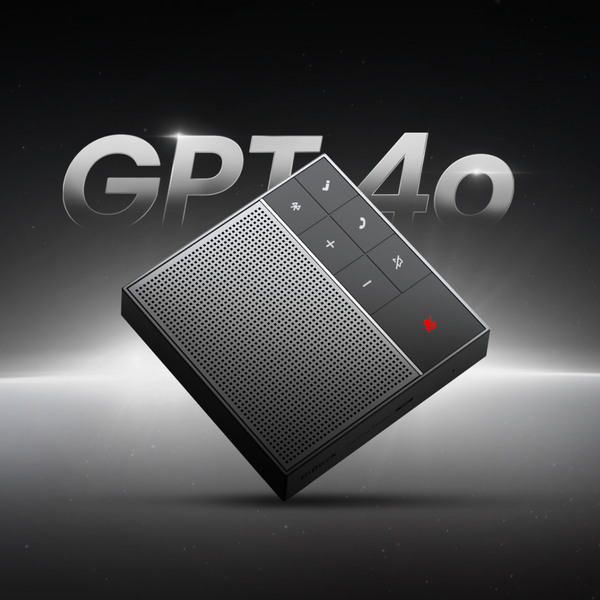
Therefore, HiDock pairs the HiNotes 3.0 software platform with a dedicated piece of hardware: the HiDock P1. The P1 is a premium, pocket-sized voice recorder that acts as the physical bridge between your conversations and the AI. By controlling the hardware, HiDock ensures studio-quality audio capture regardless of whether you are in a boardroom, on a phone call, or walking down the street.
The Verdict: Draw. Otter wins on pure, hands-off automation for remote teams. HiDock wins on versatility, ensuring high-quality capture across both physical and digital environments.
3. Recording & Audio Quality
When it comes to capturing the actual sound of a conversation, the differences between the two platforms become stark.
In-Person Meetings
If you place your smartphone on a conference table and use the Otter mobile app to record a meeting, you are relying entirely on the tiny microphone inside your phone. While modern smartphones are impressive, their microphones are designed for close-range speaking, not capturing a room full of people from five feet away. The result is often a transcript plagued by background noise and missed words.
The HiDock P1 is built specifically for this scenario. In Room Mode, the device utilizes a built-in dual Φ6 ECM (Electret Condenser Microphone) array and Bi-directional Noise Cancellation (BNC). It can clearly capture voices within a 10-foot (3-meter) radius while filtering out background distractions like typing or street noise.

Phone Calls
Recording a traditional phone call with Otter.ai is surprisingly difficult. Because of mobile OS restrictions, the Otter app cannot natively record live phone calls. You must use a third-party call recording app, save the file, and manually upload it to Otter later.
The HiDock P1 solves this elegantly with its proprietary BlueCatch™ technology. By connect the P1 to your smartphone and pairing with your favorite Bluetooth earphones, the P1 acts as a bridge. When a call comes in, you press one button on the P1, and it instantly records both sides of the conversation in crystal-clear quality, all while you talk normally through your AirPods or earbuds.
Vibe Coding and Voice Input
A unique advantage of the HiDock P1 is its new Vibe Microphone Mode (introduced in Firmware 1.4.3). For developers and professionals who use voice-driven workflows (often called "vibe coding"), the P1 functions as a tactile, push-to-talk dictaphone. It allows you to dictate code or prompt AI assistants (like Typeless) without the fatigue of wearing a headset all day. Otter offers no equivalent functionality; it is strictly a transcription tool.

The Verdict: HiDock. By utilizing dedicated hardware with premium microphones and noise cancellation, HiDock guarantees significantly higher audio fidelity across a wider variety of scenarios.
4. Transcription Accuracy & AI Features
Once the audio is captured, both platforms use artificial intelligence to transcribe and summarize the content. Here, the competition becomes much closer.
Otter.ai: The Automated Assistant
Otter.ai uses its proprietary AI models to transcribe meetings in real-time. In our evaluation, the transcription is generally accurate (around 90-95%) when the audio is clear and the speakers are using high-quality microphones on Zoom.
Where Otter truly shines is in its post-meeting automation. It automatically generates a summary, extracts key decisions, and creates a list of action items. The platform's standout feature is AI Chat, which allows you to query your meeting transcripts ("What did Sarah say about the budget?"), generate follow-up emails, and search across multiple past meetings simultaneously.
However, Otter struggles significantly with speaker identification. User reviews frequently complain that transcripts are labeled generically as "Speaker 1" and "Speaker 2," requiring manual editing to make sense of who said what.
HiDock: The Flexible Powerhouse
HiDock's companion app, HiNotes 3.0, takes a different approach to AI. Rather than relying on a single, hidden proprietary model, HiNotes allows users to choose the AI engine that powers their summaries. Currently, users can select between GPT-5.4, GPT-5, Claude 4.6, Gemini 3.1 Pro and etc. This flexibility ensures that as AI models improve, your meeting notes improve with them.
HiNotes 3.0 offers over 39 summary templates tailored to specific use cases, such as sales pitches, HR interviews, academic lectures, and SOAP notes for medical professionals. The platform also includes a unique VoiceMark feature: during a recording, pressing a button on the P1 hardware drops a digital pin in the timeline, allowing you to jump to the most important moments later instantly.
While HiNotes is rapidly improving its speaker identification capabilities (available on the Pro tier), it does not currently offer the cross-meeting AI Chat functionality that makes Otter so powerful for knowledge retrieval.
The Verdict: Tie. Otter wins on automated action items and cross-meeting AI Chat. HiDock wins on AI model flexibility, summary templates, and the tactile VoiceMark feature.
Language Support
If you conduct business internationally, work in a diverse environment, or frequently encounter non-English speakers, language support is a critical factor.
Otter.ai: The English-First Platform
Otter.ai is notoriously limited in its language capabilities. It currently supports only three transcription languages: English, French, and Spanish. Furthermore, it lacks automatic language detection. If you forget to manually select Spanish before a meeting begins, the AI will attempt to transcribe Spanish audio into English words, resulting in "hallucinations" and a completely useless transcript.

HiDock: The Multilingual Champion
HiDock dominates this category entirely. The HiNotes platform supports transcription in 75 different languages.
More impressively, HiDock recently introduced Live Translation for the P1. This feature provides real-time, translated subtitles as someone speaks, effectively breaking down language barriers during international calls or in-person meetings. You can record a meeting in Japanese and instantly generate a perfectly formatted summary in English.
The Verdict: HiDock. With 75 languages and real-time translation, HiDock is the only viable choice for multilingual professionals.
6. Meeting Integration & Automation
How seamlessly do these tools fit into your daily virtual meeting routine?
Otter.ai: The Bot That Never Sleeps
As mentioned earlier, Otter.ai is built around the OtterPilot bot. Once you connect your calendar, OtterPilot automatically joins every Zoom, Microsoft Teams, and Google Meet call on your schedule. You do not even need to be present; the bot will attend the meeting, record the audio, and send you the notes afterward.
OtterPilot also boasts a highly praised feature: Automatic Slide Capture. During virtual presentations, the bot detects when a slide is shared on the screen, captures an image of it, and inserts it directly into the transcript alongside the relevant audio. For students and professionals attending visual-heavy lectures, this is a massive advantage.
HiDock: The Bot-Free Alternative
HiDock integrates with virtual meetings differently. Instead of sending a visible bot into the call, the HiDock P1 hardware connects to your computer via USB-C. Using Call Mode, it records the system audio directly.
This means there is no bot listed in the participant panel, no awkward "Otter.ai is recording this meeting" announcements, and no risk of a bot joining a sensitive call you forgot to cancel. It is a more discreet, manual process. You must remember to press the record button on the P1, and it cannot automatically capture presentation slides.
7. Third-Party Integrations & Workflow
Once your meeting is summarized, where does that information go?
Otter.ai: The Enterprise Ecosystem
Otter is built for teams and enterprise workflows. It features shared workspaces, "Channels" for organizing conversations by project or client, and commenting features that allow teams to collaborate directly on transcripts.
Otter's true power lies in its deep integrations. It syncs natively with CRMs like Salesforce and HubSpot, automatically updating contact records with meeting insights. It connects to project management tools like Jira and Asana, and integrates seamlessly with Slack. For large organizations, these automated workflows save countless hours of manual data entry.
HiDock: The Individual Professional's Tool
HiDock's sharing capabilities are currently more tailored to the individual professional. HiNotes 3.0 allows users to export full transcripts and summaries directly to Notion, Google Docs, and Microsoft OneNote with a single click. It also supports exporting files in multiple formats (TXT, CSV, SRT, Markdown, Word, PDF).
However, HiDock lacks the interactive, multi-user workspace environment that Otter provides, and it does not currently offer native CRM syncing or advanced automation tools like Zapier.
The Verdict: Otter.ai. Otter's extensive enterprise integrations, CRM syncing, and team collaboration features make it the clear winner for organizational workflows.
8. Privacy & Data Handling
The debate over AI meeting bots has intensified recently, with privacy concerns at the forefront.
Otter.ai: The Data Training Controversy
Otter.ai's reliance on automated bots has led to significant pushback. A class-action lawsuit filed in August 2025 alleged that OtterPilot recorded meeting participants without their explicit consent. Because the bot joins automatically, participants may not realize their words are being transmitted to a third-party server.
Furthermore, Otter.ai's privacy policy states that it uses de-identified user data to train its proprietary AI models. While this data is anonymized, the practice has led institutions like UNC Charlotte to issue warnings against using Otter.ai bots in virtual meetings.
HiDock: The Localized Approach
HiDock addresses these concerns head-on. First, there is no bot. You physically control the recording via the hardware button on the P1. Second, the P1 stores recordings locally on its 64GB internal storage. It does not connect to Wi-Fi; audio is only uploaded to the HiNotes platform when you connect the device to your computer via USB-C.
Crucially, HiDock guarantees that no customer data is used to train AI models. The company partners with OpenAI and Anthropic, employing data anonymization and "chunking" techniques (randomizing small segments of audio) to ensure that even the AI providers cannot reconstruct a full conversation. For users with strict compliance requirements (legal, medical, HR), this localized, bot-free approach is vastly superior.

The Verdict: HiDock. By eliminating the automated bot and refusing to train AI on user data, HiDock provides a far more secure and compliant recording environment.
9. Pricing & Value
How much does this technology cost, and what do you get for your money?
Otter.ai: The Subscription Model
Otter operates on a traditional SaaS subscription model. The Basic (Free) plan is highly restricted, offering 300 monthly minutes with a strict 30-minute cap per conversation. If your meeting runs 31 minutes, Otter stops recording.
To unlock meaningful utility, you need the Pro plan at $8.33/user/month (billed annually, or $100/year). This provides 1,200 minutes and up to 90 minutes per meeting. For unlimited meetings and advanced admin features, the Business plan costs $19.99/user/month ($240/year).
HiDock: The Hardware Investment
HiDock requires an upfront investment in the hardware. The HiDock P1 costs $169 USD. However, this purchase includes the Member tier of HiNotes for free, which provides lifetime limitless transcription minutes and 8 core summary templates.
For advanced features like speaker identification, custom templates, and integrations, users can upgrade to the Pro tier. Unlike Otter's use-it-or-lose-it monthly subscriptions, HiNotes Pro uses a flexible, quota-based pay-as-you-go model: $12.99 for 1,200 minutes or $99.99 for 12,000 minutes. The quota never expires. For power users, an Unlimited subscription is available for $199/year.
The Verdict: HiDock. While the upfront cost of the P1 is higher, the inclusion of lifetime free transcription and the flexible, non-expiring Pro quotas make HiDock a better long-term value for most individual professionals.
10. Use Cases: Which is Better for You?
To make the decision easier, let's look at specific scenarios.
- Virtual Meetings (Zoom, Teams): Draw. Choose Otter if you want automated slide capture and hands-off recording. Choose HiDock if you want high-quality audio without a visible bot alerting participants.
- In-Person Meetings: HiDock. The P1's dual ECM microphones and noise cancellation easily outperform a smartphone running the Otter app in a physical room.
- Phone Calls: HiDock. The BlueCatch™ Bluetooth technology allows you to record live phone calls seamlessly; Otter cannot do this natively.
- Interviews (Journalism/HR): HiDock. The dedicated hardware ensures high-fidelity capture, and the ability to export uncompressed WAV files is crucial for broadcast quality.
- Lectures and Classes: Otter.ai. The automatic slide capture feature is invaluable for students needing visual context alongside their notes.
- Team Collaboration: Otter.ai. Shared workspaces, Channels, and CRM integrations make Otter the clear choice for organizations.
- Multilingual Environments: HiDock. With 75 languages and Live Translation, HiDock dominates Otter's limited 3-language support.
- Legal and Compliance: HiDock. The lack of a bot, local storage, and strict "no AI training" policy make HiDock the safer choice for sensitive discussions.
- Vibe Coding / Voice Input: HiDock. The P1's Vibe Microphone Mode turns it into a tactile push-to-talk dictaphone for voice-driven workflows; Otter is strictly a transcription tool.
11. Who Should Buy Which? (Decision Framework)
Choose Otter.ai if:
- You manage a large sales team or enterprise organization.
- You live entirely in Zoom, Teams, or Google Meet and rarely have in-person meetings.
- You need automated CRM updates (Salesforce, HubSpot) and project management syncing.
- You rely heavily on presentation slides and need them automatically captured.
- You want a completely hands-off experience where a bot joins meetings for you.
Choose HiDock if:
- You frequently attend in-person meetings, brainstorms, or conduct interviews.
- You need to record traditional phone calls seamlessly.
- You work in multiple languages or require real-time translation.
- You are concerned about the privacy implications of meeting bots and AI data training.
- You want high-fidelity audio capture (including uncompressed WAV formats).
- You prefer a one-time hardware purchase with lifetime free transcription over a restrictive monthly SaaS subscription.
12. Frequently Asked Questions (FAQ)
Q: Does the HiDock P1 work without a computer?
A: Yes. In Room Mode and Whisper Mode, the HiDock P1 operates entirely standalone, recording audio to its 64GB internal storage. You only need to connect it to a computer or smartphone to upload the audio to HiNotes for transcription.
Q: Can Otter.ai record my phone calls?
A: Not directly. Due to mobile operating system restrictions, the Otter app cannot record live phone calls natively. You must use a separate call recording app and manually import the audio file into Otter later.
Q: Does HiDock use my data to train its AI?
A: No. HiDock has a strict policy against using customer data to train AI models. The data is anonymized, chunked, and randomized before being processed by partners like OpenAI and Anthropic.
Q: Why does Otter.ai only support three languages?
A: Otter.ai has focused deeply on optimizing its proprietary models for English, French, and Spanish. While this allows for features like AI Chat, it limits its utility for global teams. HiDock utilizes advanced third-party models (GPT-5.4, Claude 4.6, Gemini 3.1 Pro) to support 75 languages.
Q: What is Vibe Microphone Mode on the HiDock P1?
A: Introduced in Firmware 1.4.3, Vibe Microphone Mode turns the P1 into a dedicated Bluetooth microphone for voice-driven workflows ("vibe coding"). It allows developers to use push-to-talk dictation with tools like Typeless without wearing a headset.
Q: Can I use the HiDock P1 with my own Bluetooth earphones?
A: Yes. HiDock's proprietary BlueCatch™ technology allows you to connect your favorite Bluetooth earbuds (like AirPods) to the P1. During a call, the P1 records both your voice and the other person's voice in high quality.