


Picture this: you just finished a 90-minute client call. You took a few notes, but you were focused on the conversation as you should be. Now you need to write a follow-up email, brief your team, and track down three action items you vaguely remember being mentioned.
You open your laptop. Nothing useful is there. If that scene is familiar, you're not alone, and you're not bad at your job. You're just dealing with a problem that hasn't had a clean solution until now.
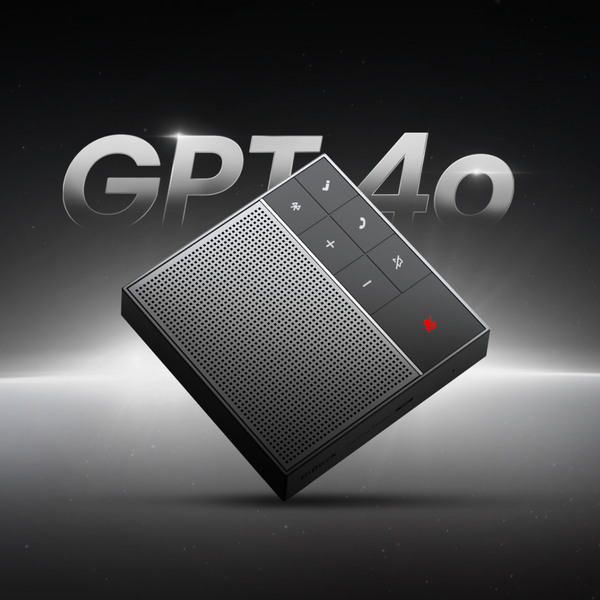
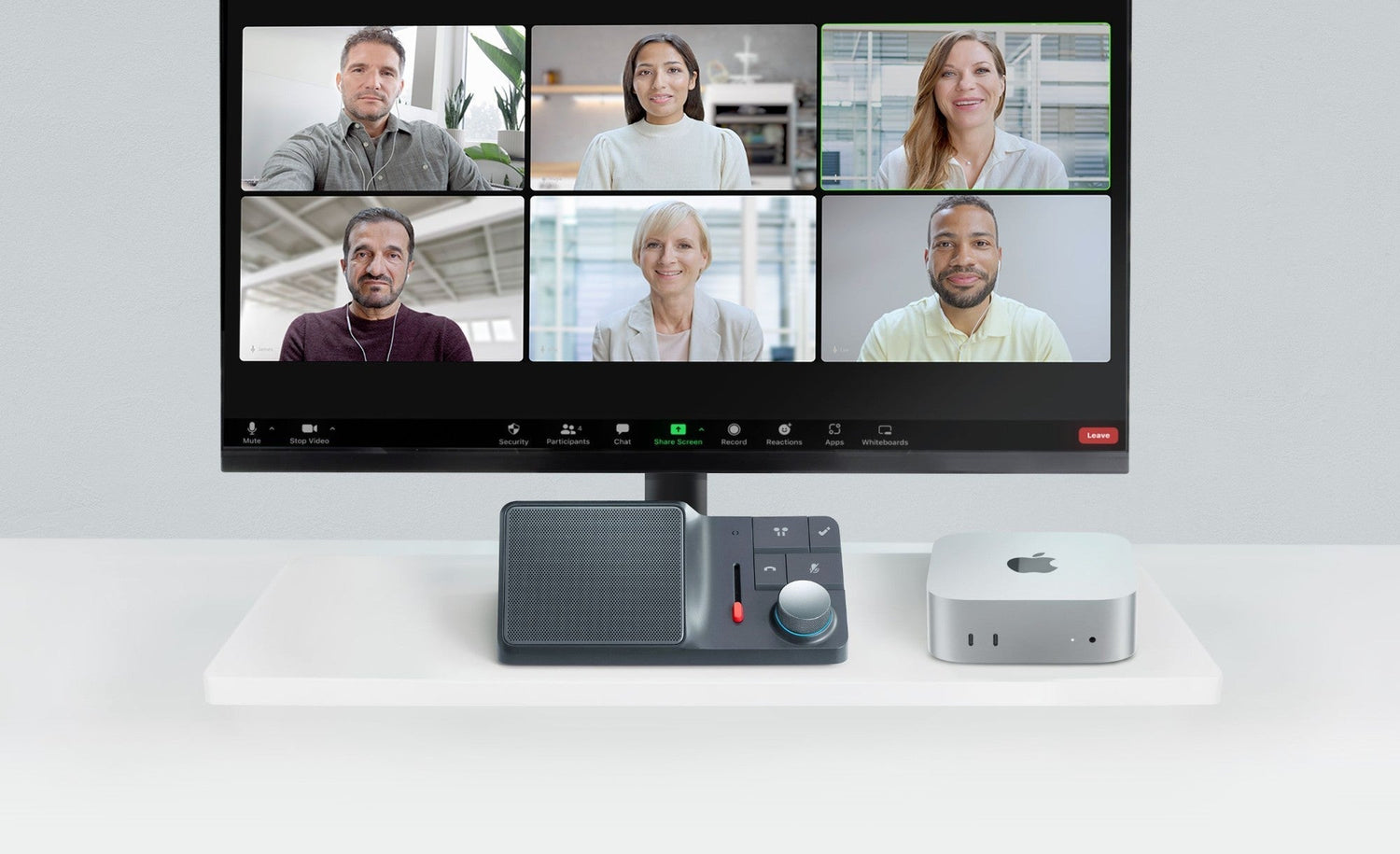
The HiDock H1 Lite is a desktop AI speakerphone designed to eliminate that problem. It sits on your desk, records every meeting you have, virtual calls, and face-to-face conversations alike, and automatically delivers a full transcript and AI-generated summary through its companion app, HiNotes. You walk out of every meeting with a complete record of what was said, who said it, and what needs to happen next. No bots join your call. No monthly subscription. No changing how you work.

Who Made This — and Why It Matters
Before spending $189 on a device from a brand you may not know, it's fair to ask: Who is HiDock?
HiDock was founded in 2014 and has spent over a decade building audio DSP technology, the kind of signal processing that makes voices sound clear and recordings accurate. That same technology has been embedded in more than 500,000 devices across smart home, automotive, and teleconferencing products.
HiDock's B2B audio clients include names like Bang & Olufsen, TP-Link, and Lavazza. The H1 Lite builds on more than a decade of audio engineering and HiDock’s experience developing AI-powered communication devices, resulting in a recorder designed for the way professionals actually work.
Why the Mac mini Has No Built-in Microphone (and How to Fix It)
Most desk-based professionals today face two meeting problems that existing tools don't fully solve.
"Most AI meeting tools still assume people want software bots joining every meeting. But many professionals simply want a device on their desk that captures conversations reliably, works with Bluetooth earphones, and gives them accurate notes afterwards. That's what H1 Lite was built to do." Sean, Co-founder & CEO, HiDock
What Your Work Day Looks Like With H1 Lite
Before getting into how it works, here's what actually changes when H1 Lite is on your desk.
Before a meeting: HiDock H1 Lite is already connected to your computer via USB-C. Your Bluetooth earphones are paired to H1 Lite, not your computer. You open Zoom, Teams, or Google Meet, whatever platform you use.
During the meeting: You press the HiDock key once to start recording and take the call exactly as you always have. If something important comes up, a decision, a key commitment, or a number you'll need later, you press the key once more to drop a VoiceMark timestamp. You stay present. You don't take notes.
After the meeting: The recording transfers automatically to HiNotes. Within minutes, you have a full, searchable transcript of everything said on both sides of the call, an AI-generated summary, and a clean list of extracted action items, ready to paste into a follow-up email or share with your team.
A week later: A client references something from a call three weeks ago. You search for their name in HiNotes and find the exact quote in seconds, with a timestamp.
That's the full picture. H1 Lite doesn't add steps to your workflow; it removes the part where you try to reconstruct what happened from memory.
How to Record Both Sides of a Bluetooth Call — Without a Bot
The core innovation inside H1 Lite is BlueCatch™, HiDock's proprietary Bluetooth capture technology.
Here's what it does: instead of pairing your Bluetooth earphones to your computer directly, you pair them to H1 Lite. The device then acts as the audio bridge between your computer, your earphones, and its built-in studio-level ECM microphone. During a call, it simultaneously captures your voice through its microphone and the caller's voice through the Bluetooth connection, combining both into a single, clean audio file.
This is what separates H1 Lite from every standard desktop recorder. The caller's voice, which would otherwise disappear into your earphones, is captured. Both sides of the conversation are recorded.

Two Modes, Every Meeting Covered
H1 Lite has two recording modes that switch automatically based on how you're set up.
Call Mode activates automatically when your Bluetooth earphones are paired to H1 Lite. This is the mode for virtual meetings, Zoom, Microsoft Teams, Google Meet, Webex, Discord, FaceTime, WhatsApp, Slack, and any other platform. Both sides of your call are recorded privately and clearly. No participant bot. H1 Lite operates completely bot-free to ensure a seamless and private experience. However, we encourage users to always respect privacy and comply with local regulations regarding call recording.
Room Mode activates automatically when no earphones are connected. H1 Lite switches to a standalone AI speakerphone with recording capability optimized for capturing face-to-face conversations, client interviews, and team huddles directly in the room. Press the HiDock Key to start and press and hold to stop. That's it.
The BNC Slide on the side of the device gives you physical control over noise reduction levels. In a noisy environment, like an open office or shared workspace, slide it up to filter out background noise aggressively. In a quiet meeting room, keep it low to preserve natural audio clarity.
VoiceMark: Never Lose an Important Moment
During any recording, a single press of the HiDock key drops a VoiceMark—a timestamped bookmark in the audio. When HiNotes processes your recording, these flagged moments are surfaced first, so you can jump directly to the part of the transcript that matters without scrubbing through an hour of audio.
AI Meeting Notes Without a Bot: How HiNotes Works
HiNotes is HiDock's companion app available as a web app and on iOS and Android. It's where your recordings become something you can actually use.
Connect H1 Lite to your computer after a meeting, and recordings sync automatically. HiNotes then processes each one through:
- A full timestamped transcript in any of 75+ supported languages, fully searchable
- An AI-generated meeting summary — choose from templates for client calls, team standups, 1:1s, or brainstorm sessions
- Automatically extracted action items, listed separately from the transcript
- A searchable archive of every meeting you've ever recorded, organized chronologically
Every meeting you record becomes part of a permanent, searchable memory you can query weeks or months later. It's not just a transcription service; it's an institutional memory for your work.

Pricing: What You Pay and What You Never Pay Again
- HiDock H1 Lite device
- USB-C cable
- Quick Start Guide
- Up to 170 hours of onboard local storage
- Unlimited cloud storage via HiNotes
- Unlimited AI transcription and meeting summaries in 75+ languages — included for the life of the device, no subscription required
- Free shipping
- 18-month warranty
- 30-day risk-free return
HiNotes provides free unlimited core features (AI transcription and summaries) for all H1 Lite users, while advanced tools like Speaker Identification and third-party integrations are optional Pro upgrades.

Full Specs
| Feature | Detail |
| Type | Desktop AI Speakerphone + Meeting Recorder |
| Connection to Computer | USB-C |
| Bluetooth | 5.3 (earphone pairing via BlueCatch™) |
| Recording Modes | Call Mode / Room Mode (automatic switching) |
| Microphone | Studio-level ECM (Electret Condenser Microphone) |
| Noise Cancellation | AI-based Bi-directional Noise Cancellation (BNC) |
| Speaker | 5W full-range driver |
| Local Storage | Up to 170 hours |
| Cloud Storage | Unlimited via HiNotes |
| AI Transcription | Unlimited — 75+ languages, no subscription |
| Compatible OS | macOS, Windows |
| Compatible Apps | Zoom, Teams, Google Meet, Webex, Discord, FaceTime, WhatsApp, Slack, and more |
| Dimensions | 178 × 93.5 × 72.4 mm · 362g |
| Color | Slate Gray |
| Warranty | 18 months |
| Price | $189 |
Is H1 Lite Right for You?
H1 Lite is purpose-built for a specific kind of professional. It's the right choice if:
- You work from a Mac mini, iMac, or any desktop without a built-in microphone and want conference-grade audio with AI notes built in
- You use Bluetooth earphones on calls and have struggled to capture both sides of a conversation
- You want AI meeting notes without a bot joining your call or your audio being processed by an unfamiliar third-party service
- You're currently paying monthly for a transcription tool and want to replace it with a one-time purchase
- You spend most of your working day at a fixed desk setup
It may not be the best fit if you primarily attend meetings away from your desk — in that case, the portable HiDock P1 was built for that use case.
Frequently Asked Questions
The Bottom Line
Get the HiDock H1 Lite